FOCUS DayZ
GAME: DayZ
ON UPDATE
DESCRIPTION
FOCUS DayZ for DayZ: product specifications, system requirements and available subscription plans. Check the restrictions and selected plan before purchase.
FEATURES
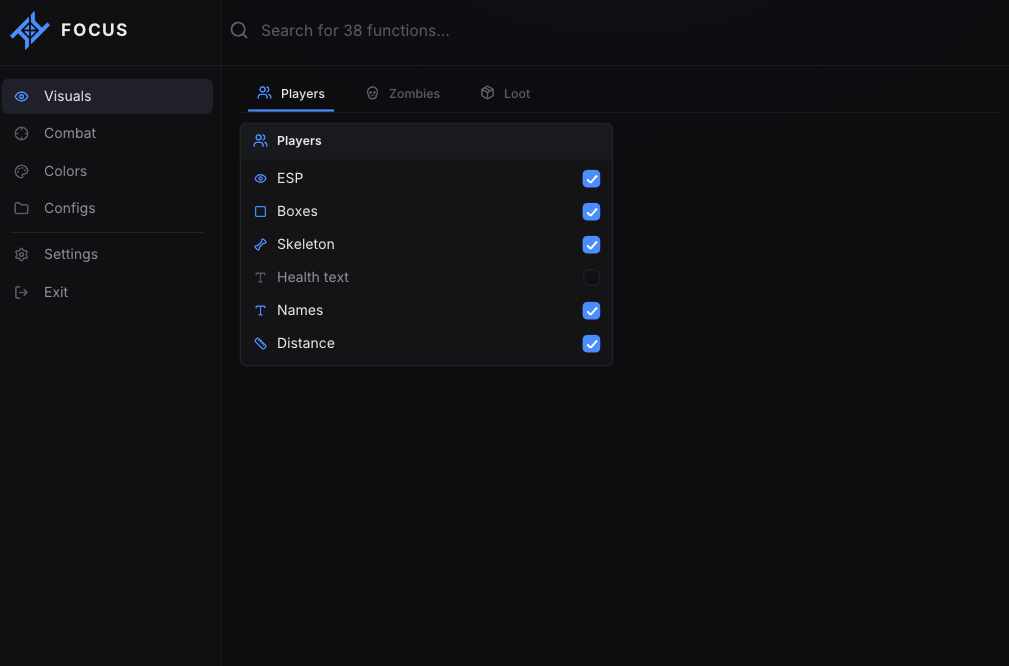
ESP · Players
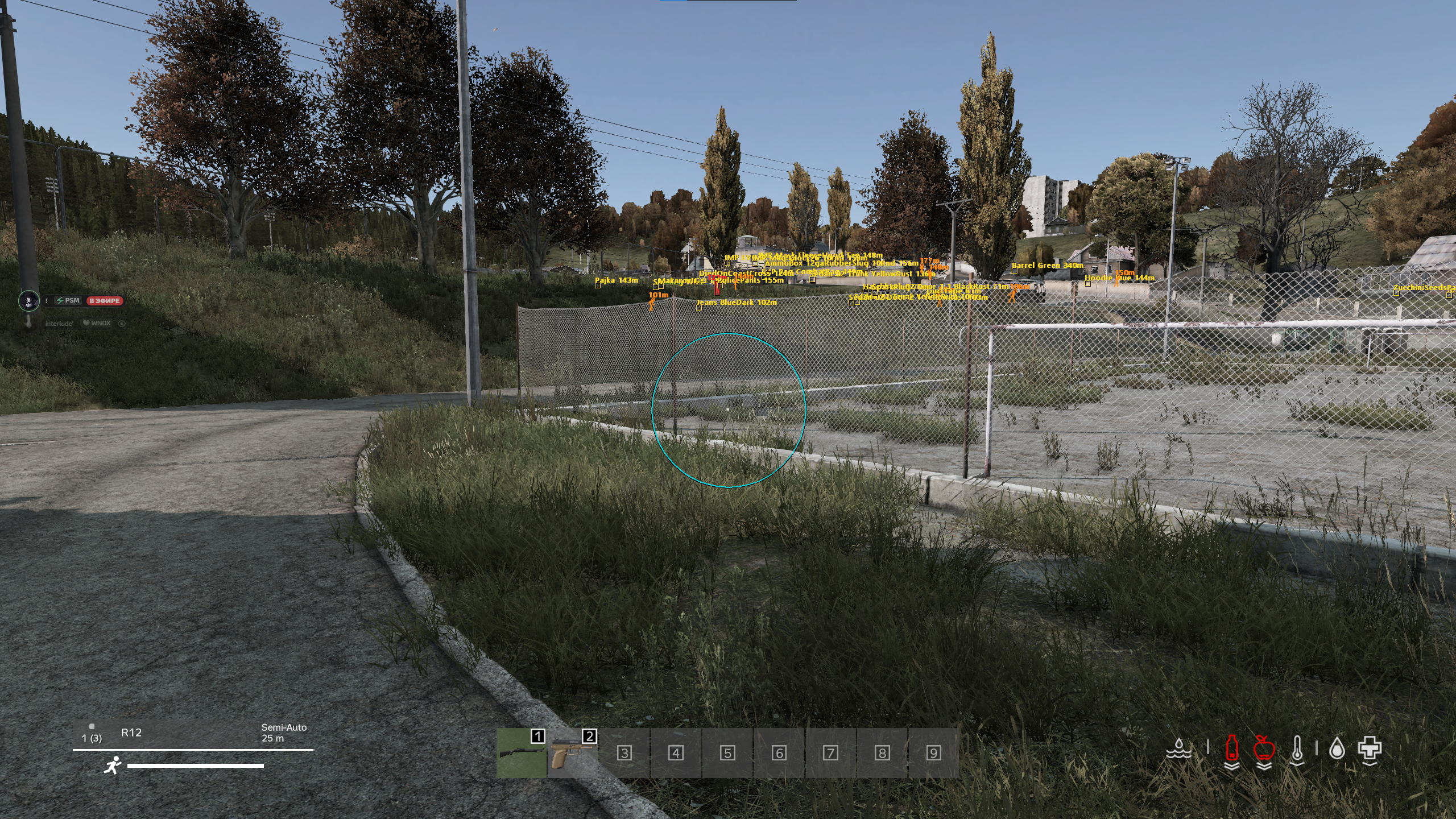
- ESP — Master switch for player wallhack. When on, other players are drawn through terrain, buildings and fog. When off, all player ESP below is hidden.
- Boxes — 2D bounding box around each player on screen. Follows the player as they move, crouch and go prone.
- Skeleton — Full bone overlay on the player model. Head, spine, arms and legs are drawn in world space.
- Health text — Numeric health value next to the player. Off by default. Enable to see remaining HP as numbers.
- Names — Player name drawn above the box / skeleton.
- Distance — Distance from you to that player, in meters.
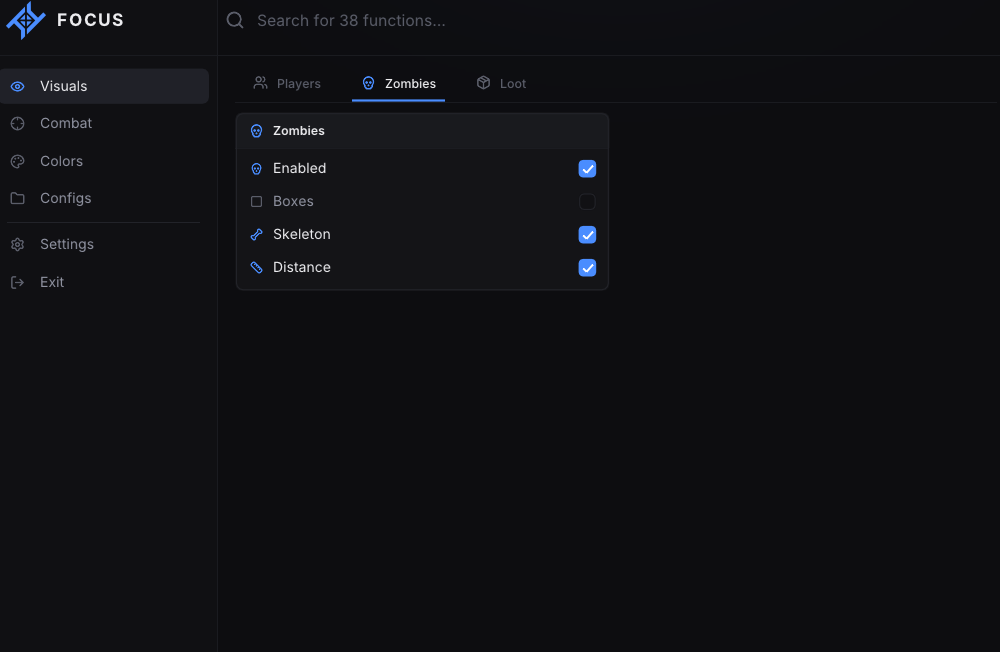
ESP · Zombies
- Enabled — Master switch for infected / zombie ESP.
- Boxes — 2D box around each zombie.
- Skeleton — Bone overlay on zombie bodies.
- Distance — Distance to the zombie in meters.
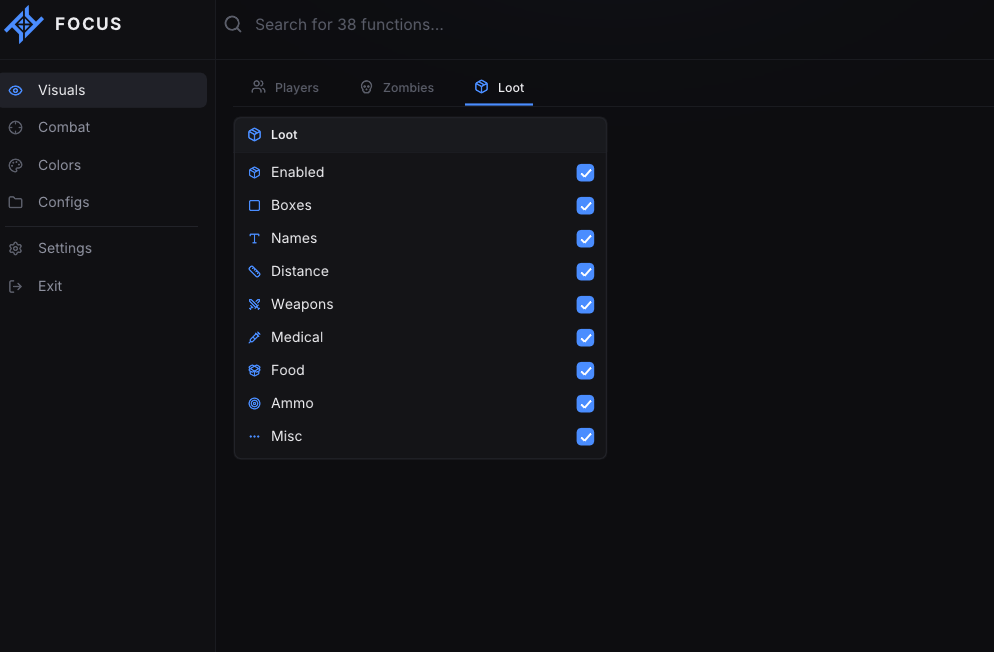
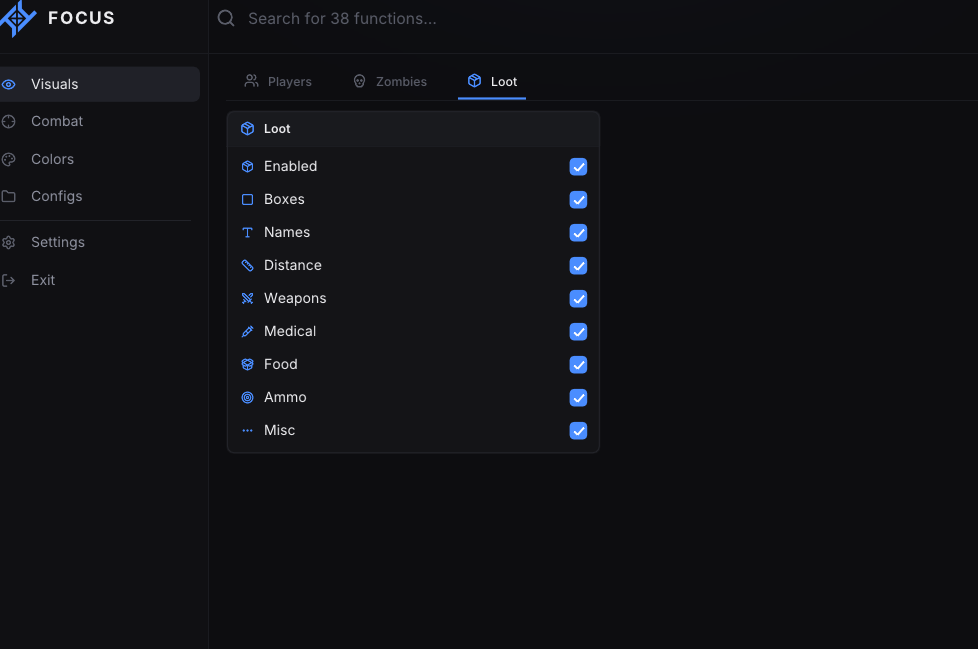
ESP · Loot
- Enabled — Master switch for world loot ESP. Ground items and containers matching the filters below are shown.
- Boxes — Box around loot objects.
- Names — Item / loot name on screen.
- Distance — Distance to the loot in meters.
- Weapons — Show weapon loot. Hide this category independently.
- Medical — Show medical loot (bandages, saline, kits, etc.).
- Food — Show food and drink loot.
- Ammo — Show ammunition loot.
- Misc — Show everything else that is not in the categories above.
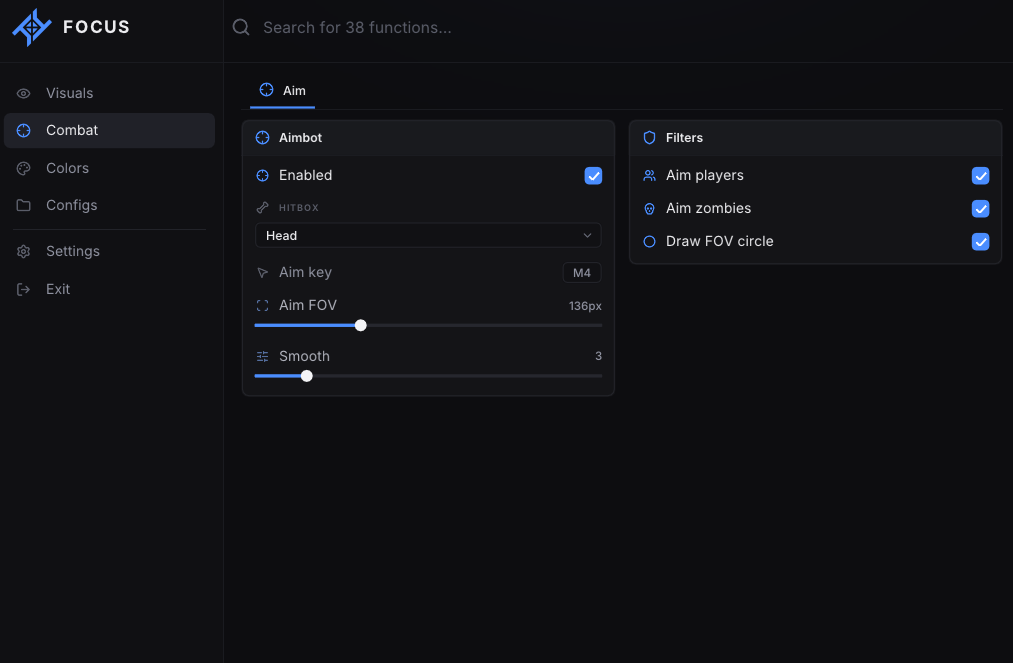
Aimbot
- Enabled — Master switch for aimbot. When on, holding the aim key snaps / smoothly aims at the selected hitbox.
- Hitbox — Head; Chest; Aimbot locks onto the chosen bone.
- Aim key — Default: Mouse 4 (MouseX1 / side button). Hold this key to aim. Rebindable.
- Aim FOV — Range: 20 px to 400 px. Default: 118 px. Only targets inside this circle around the crosshair are valid.
- Smooth — Range: 0 to 20. Default: 3. 0 = instant snap. Higher = slower, more human-looking movement.
- Aim players — Aimbot is allowed to lock onto players.
- Aim zombies — Aimbot is allowed to lock onto zombies / infected.
- Draw FOV circle — Draws the aim FOV circle on screen so you can see the lock radius.
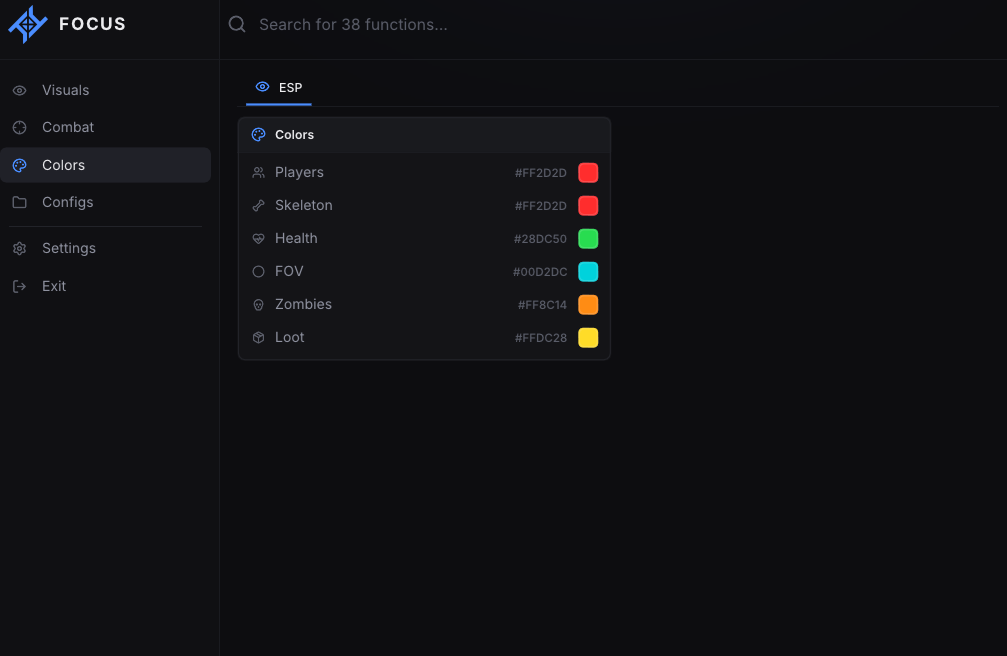
Colors · ESP
- Players — Color of player boxes / player ESP.
- Skeleton — Color of player skeleton bones.
- Health — Color of health text.
- FOV — Color of the aim FOV circle.
- Zombies — Color of zombie ESP.
- Loot — Color of loot ESP.
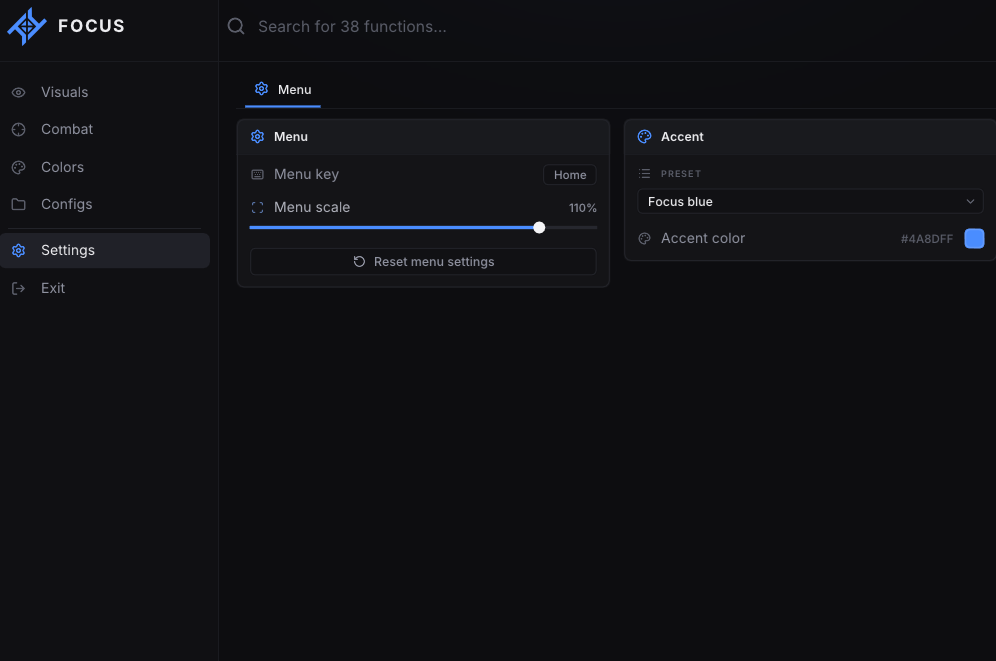
Menu settings
- Menu key — Bind to open / close the menu. Default: Home.
- Menu scale — Range: 60% to 120%. Default: 100%. Scales the whole menu UI.
- Reset menu settings — Button. Restores default menu scale / accent without wiping ESP configs.
- Preset — Dropdown for menu accent. Focus blue; Violet; Cyan; Mint; Rose; Amber
- Accent color — Custom menu highlight color if you do not use a preset.
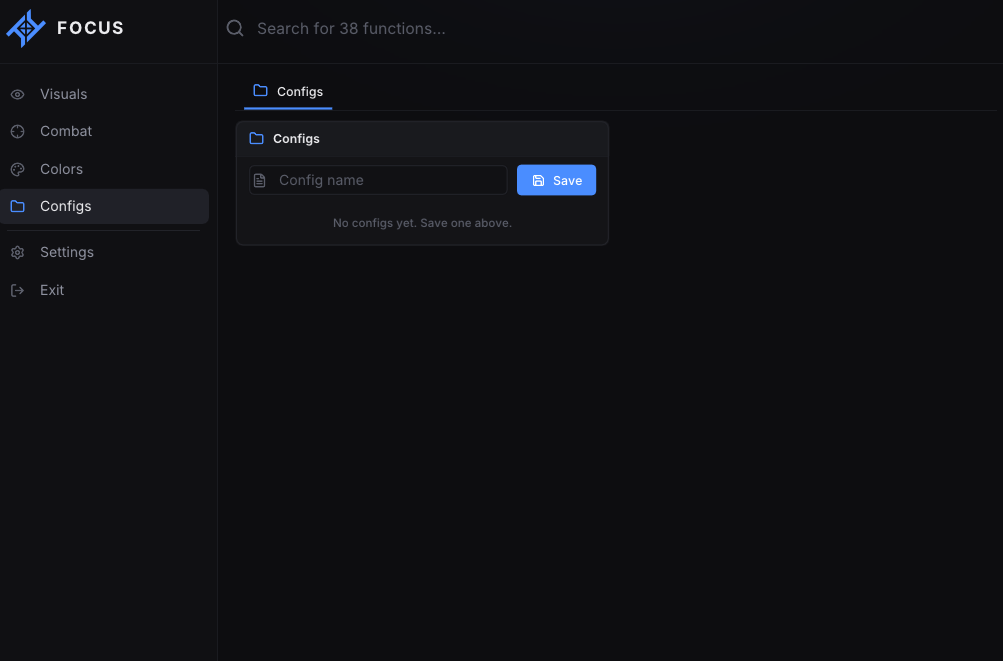
Configuration profiles
- Named configs — Save, load, overwrite and delete .cfg profiles. Full menu + ESP + aim settings are stored per config.
SYSTEM REQUIREMENTS
Windows 10: 22H2
Windows 11: 25H2
Processor: AMD / Intel
Architecture: x64 only (64-bit)
Platform: Steam only
Windows 11: 25H2
Processor: AMD / Intel
Architecture: x64 only (64-bit)
Platform: Steam only